Whether you are an Amazon seller needing a clean product shot, a graphic designer on a deadline, or just someone trying to make a viral meme—removing image backgrounds is often a frustrating bottleneck.
Googling “remove background free” usually leads to one of three traps:
- 🚫 The Paywall: “Your first image is free. Pay $10 for the rest.”
- 📉 The Quality Drop: Free downloads are blurry, pixelated, and unusable.
- ☁️ The Privacy Risk: You are forced to upload personal photos to a mystery server.
The good news? The game has changed in 2026.
You no longer need Photoshop skills or expensive monthly subscriptions. In this guide, I’ll show you how to get High-Definition (HD) results completely for free—and most importantly—without your photos ever leaving your device.
The “Dirty Secret” of Online Background Removers
Most popular tools (like remove.bg, Adobe Express, or Canva) operate on Server-Side AI. Here is how that works:
- Upload: You send your photo to their cloud server.
- Process: Their powerful computers edit the image.
- Download: They send the result back to you.
The Problem? Server processing costs money. That is why they limit your free usage or downgrade your quality to force you to pay. Plus, uploading sensitive documents (like IDs) or family photos to a third-party server is a massive security risk.
The Solution: Client-Side AI (Your Browser is the Powerhouse)
Enter ToolsAid Image Background Remover.
Unlike the tech giants, ToolsAid utilizes a cutting-edge technology called WebAssembly (WASM). Instead of sending your photo to a remote server, the AI model downloads once and runs directly inside your web browser (Chrome, Firefox, or Edge).
Why “Client-Side” is Better for You:
- 💰 100% Free & Unlimited: Since it uses your device’s CPU/GPU, there are no expensive server bills for us. We pass those savings to you by keeping it free forever. No credit systems.
- 🔒 Privacy-First: Your image never leaves your phone or laptop. It is processed locally, ensuring 100% data security.
- ✨ HD Quality: We don’t artificially lower the resolution. If you upload a crisp 4K image, you get a crisp 4K transparent PNG back.
 A privacy-first workflow ensures your data stays on your device.
Step-by-Step: How to Remove Backgrounds in Seconds
Ready to try it? Here is the simple workflow:
Step 1: Visit the Tool
Open ToolsAid Background Remover. (Bonus: No sign-up, email, or login is required. Just jump straight in.)
Step 2: Upload Your Image
Drag and drop your image (JPG, PNG, or WebP) onto the upload box. Or click to select a file.
Note: Since the AI engine loads locally, the very first image might take a few seconds to initialize. After that, it works instantly—even offline!
Step 3: Download & Save
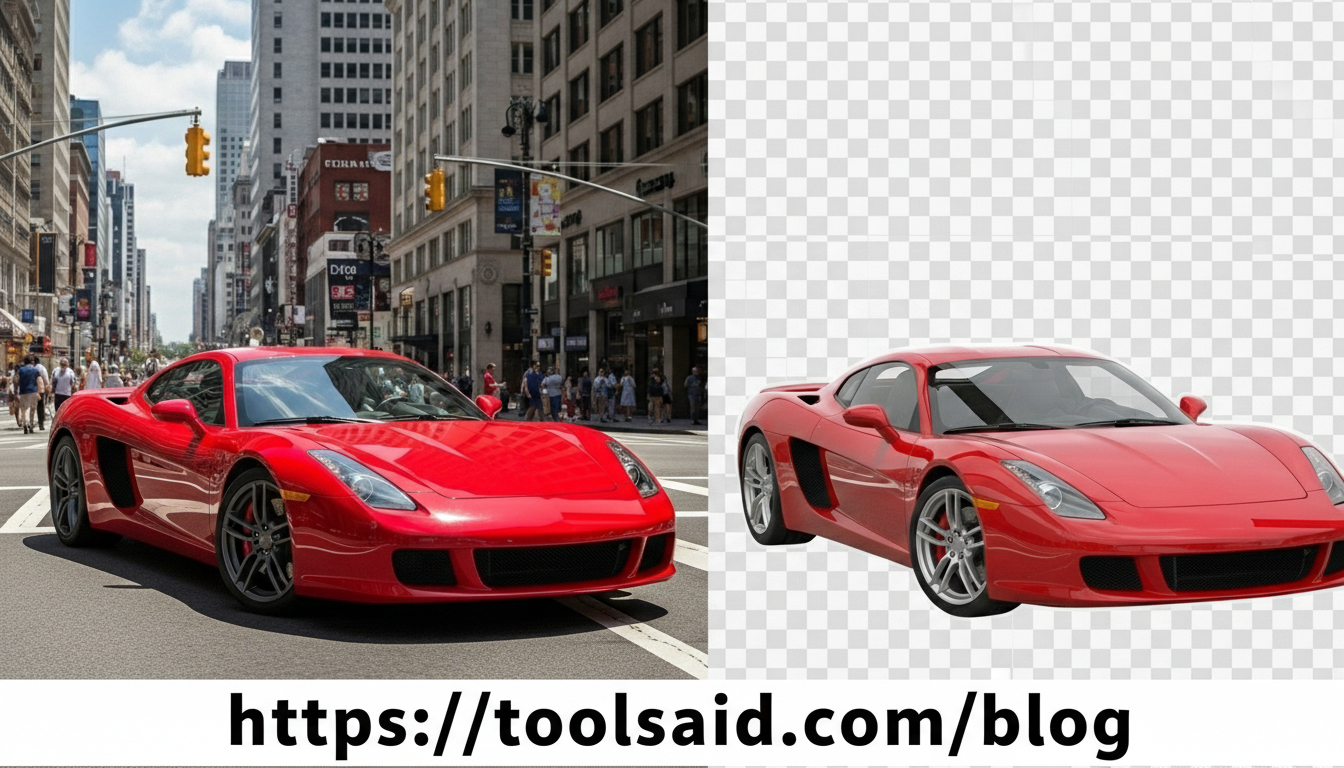
Within moments, the background will vanish. You’ll see a slider to compare “Before” and “After.” Simply hit the “Download HD PNG” button to save it.
Comparison: ToolsAid vs. The “Big Guys”
| Feature | Typical Online Removers (Paid) | ✅ ToolsAid (Our Tool) |
|---|---|---|
| Cost | Freemium (1 credit/day) | 100% Free Forever |
| Resolution | Low Res (Free) / HD (Paid) | Original HD Quality |
| Privacy | Uploads to Cloud Server ☁️ | Runs on Device (Safe) 🔒 |
| Account | Required for HD downloads | No Sign-up Needed |
| Offline Use | Impossible | Yes (Once loaded) |
Who is This Tool For?
- 🛍️ E-commerce Sellers: Create clean, white-background product photos for Amazon, eBay, or Shopify in seconds.
- 🎨 Designers & Freelancers: Speed up your workflow. Why mask manually in Photoshop when AI can do it in 2 seconds?
- 📱 Social Media Creators: Create punchy YouTube thumbnails or Instagram stickers that stand out.
- 🏢 Real Estate Agents: Quickly fix sky backgrounds or remove clutter from property photos.
🛠️ Also Check These Professional Tools
To take your designs even further, try these free browser-based utilities:
- ✨ Image Compressor: Shrink file sizes without losing quality.
- 🎨 CSS Box Shadow Generator: Add depth to your cutouts with realistic shadows.
- 📦 Responsive Image Generator: Export your PNGs in all sizes for web performance.
Frequently Asked Questions (FAQ)
Is it really free?
Yes! Because the processing happens on your device, it costs us very little to host. You can process as many images as you like.
Will my photos be seen by anyone?
Absolutely not. Your photos never leave your browser. They are not stored on our servers or seen by us.
Does it work on mobile?
Yes, it works perfectly on Android and iOS browsers.
Final Thoughts
You shouldn’t have to trade your privacy or your wallet just to perform a simple photo edit. As developers, we built ToolsAid to bring professional-grade tools to everyone, for free.
Stop paying for credits. Stop compromising on quality.